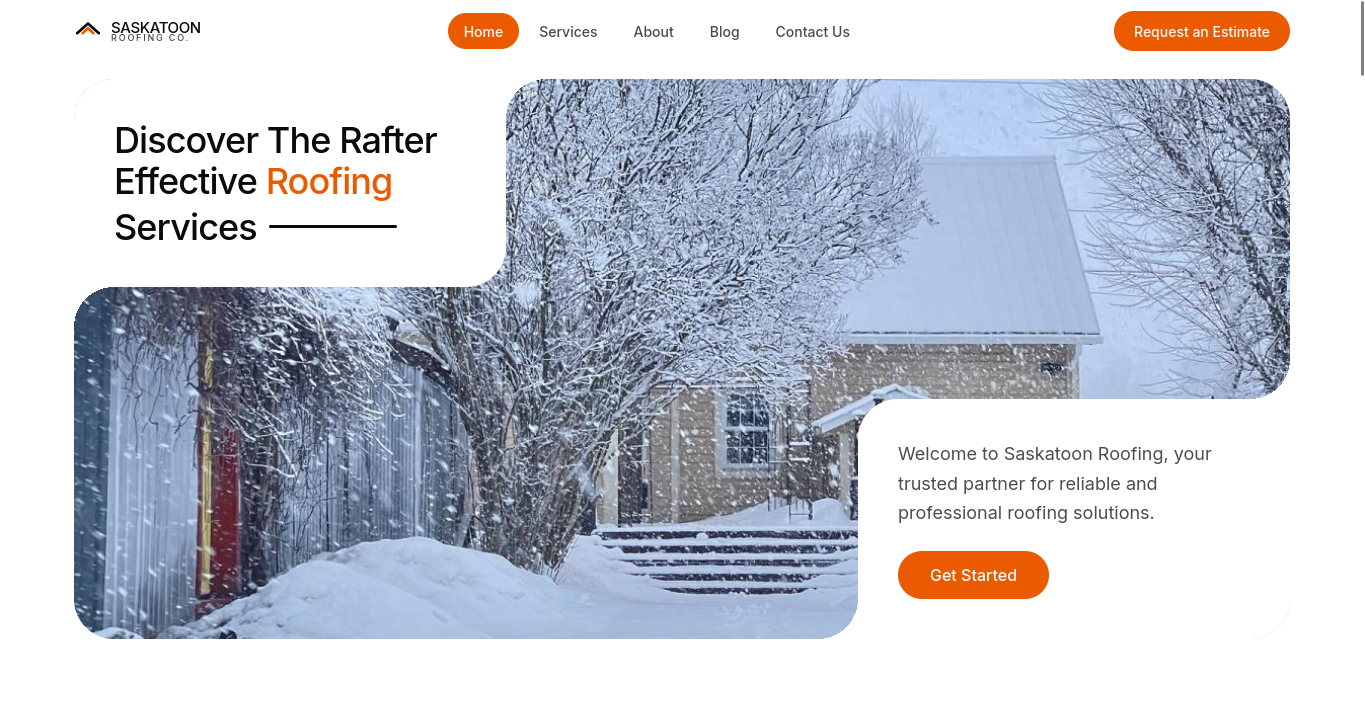
If you’re reading this, you aren’t actually looking for a roof in Saskatoon. You’re looking at my portfolio. I built this concept project, Saskatoon Roofing Co., to solve a massive problem I see in the home service industry every single day.
A business website shouldn’t exist just to look good.
It should help the business do something.
It should help a potential customer understand what the business offers, make it easier for them to take the next step, and give the business a better way to manage what happens after that interaction.
That idea is what led me to build Saskatoon Roofing Co., a fictional roofing company built around my broader Contractor Growth System concept.
The project combines a customer-facing roofing website with a lead intake flow, contractor dashboard, lead management, estimate creation, and customer approval workflow.
The goal wasn’t to build another generic dashboard or another landing page.
I wanted to explore what a complete digital workflow for a local contractor could look like when the website and the business process are designed together.
The problem
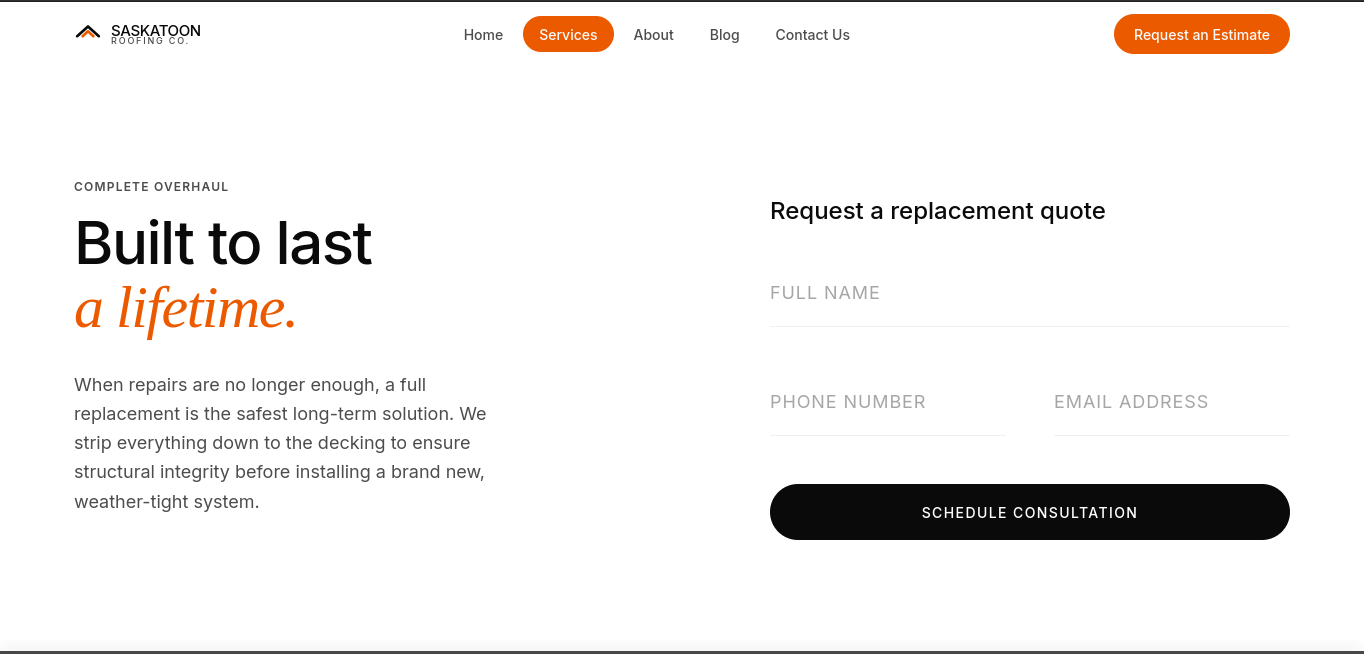
Consider a homeowner who needs a new roof.
They search for a local roofing company, visit its website, look through the services, and decide they want to learn more.
The website says:
“Get in touch.”
They click the button and are presented with a familiar form:
- Name
- Phone
- Message
They submit:
“Hi, I need a quote for my roof.”
The contractor receives the message.
But the useful information is still missing.
Someone may need to ask:
- What type of project is this?
- Where is the property?
- What does the existing roof look like?
- When are you looking to start?
- Do you have photos?
- What is the approximate scope?
- Is this a repair, replacement, or inspection?
The customer may then have to provide that information across several messages or phone calls before the contractor has enough context to determine what to do next.
There isn’t necessarily anything wrong with a basic contact form.
The problem is that it treats every enquiry the same way, even when the business needs more specific information to understand the opportunity.
That was the problem I wanted to explore.
The idea

Instead of treating the website and the contractor’s internal workflow as completely separate systems, I wanted to connect them.
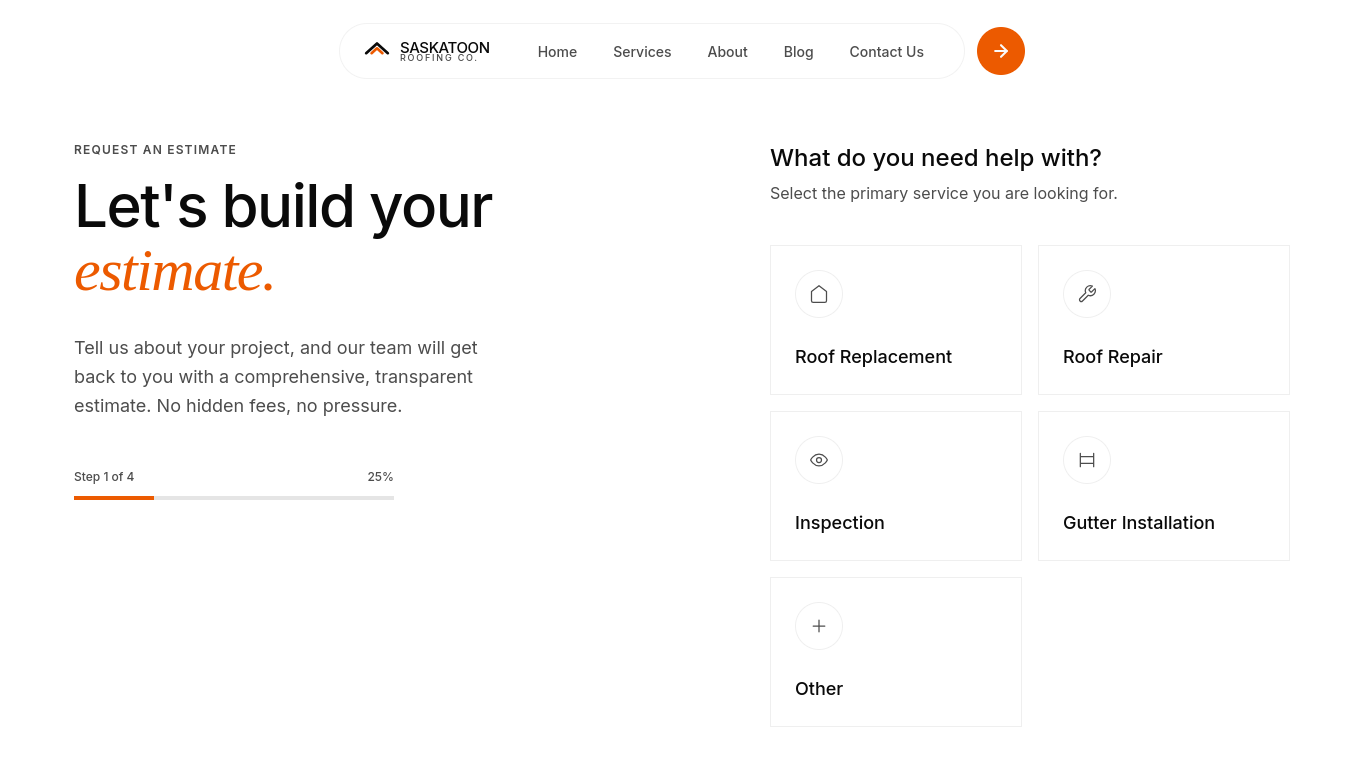
The customer-facing side of the platform is designed around a guided project request.
Rather than asking someone to write everything into one large message box, the system collects information in focused steps.
The customer can:
- Select the service they need
- Describe the project
- Provide information about the property
- Choose a preferred timeline
- Upload relevant photos
- Provide their contact information
The result isn’t just another message sitting in an inbox.
It becomes a structured lead.
That lead can then enter the contractor’s workflow.
This is the central idea behind the project:
The website starts the process. The application continues it.
From website visitor to qualified opportunity
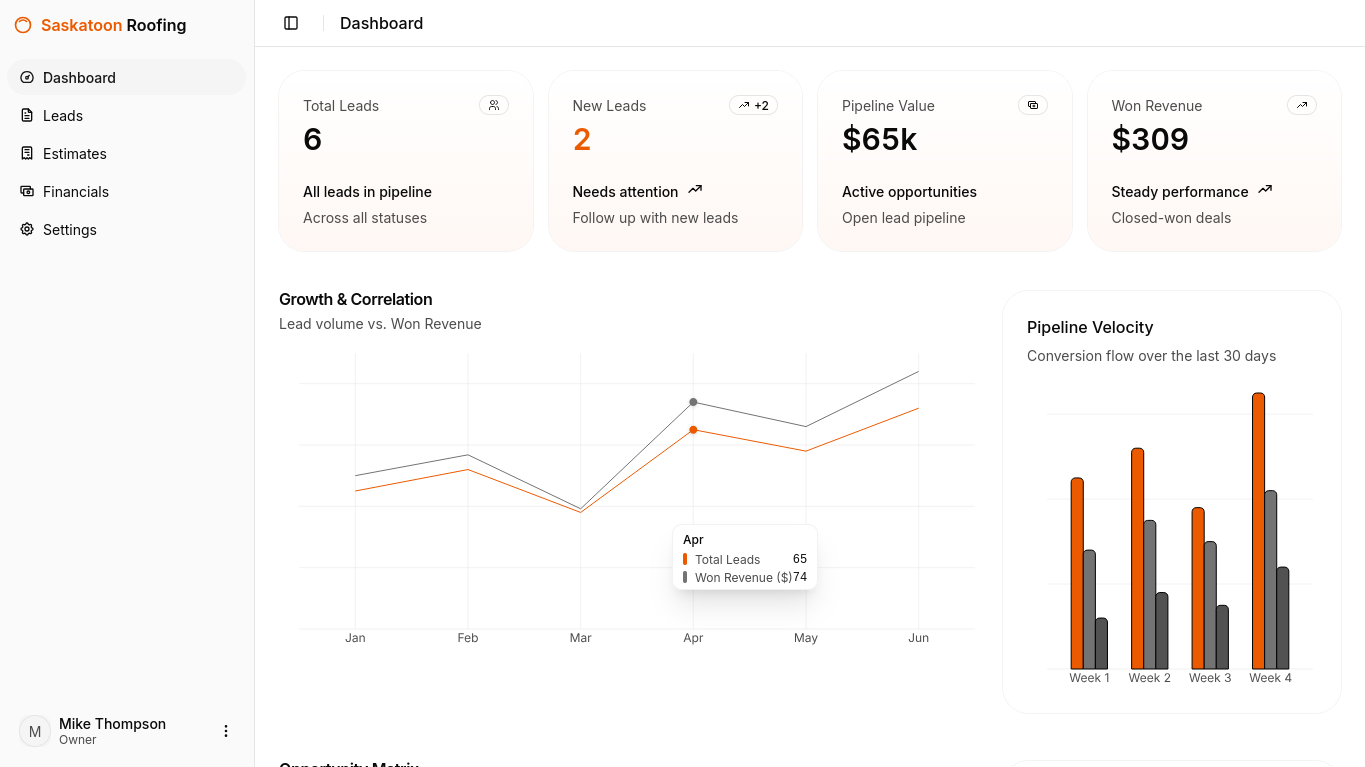
Once a request is submitted, the contractor can access it from a central dashboard.
Instead of having to reconstruct the customer’s requirements from emails or messages, the relevant information is organized around the lead.
The contractor can see:
Who is the customer?
What service do they need?
Where is the project?
What information did they provide?
What photos or documents did they upload?
When do they want to get started?
What has happened with the lead so far?
The lead can then move through a simple pipeline:
New → Contacted → Qualified → Estimate Sent → Won/Lost
I deliberately kept this workflow straightforward.
The goal wasn’t to create a massive CRM with hundreds of features.
It was to create a clear system where a contractor can quickly understand what has come in, what needs attention, and where each opportunity currently stands.
Why I focused on the workflow
When building a personal project, it’s easy to start with technology.
“Let me build something with React.”
“Let me create an API.”
“Let me use a database.”
“Let me build a dashboard.”
Those are useful exercises, but they don’t necessarily produce a meaningful product.
For this project, I wanted to start somewhere else.
I started with the workflow.
What happens when someone discovers the business?
What information does the business need?
What happens when that information arrives?
How should the business organize it?
What happens after the lead is qualified?
How does the contractor prepare an estimate?
How does the customer receive it?
What happens when the customer approves it?
Once I understood those relationships, the features became much easier to define.
The technology became a way of implementing the workflow rather than the reason for the project.
The estimate workflow
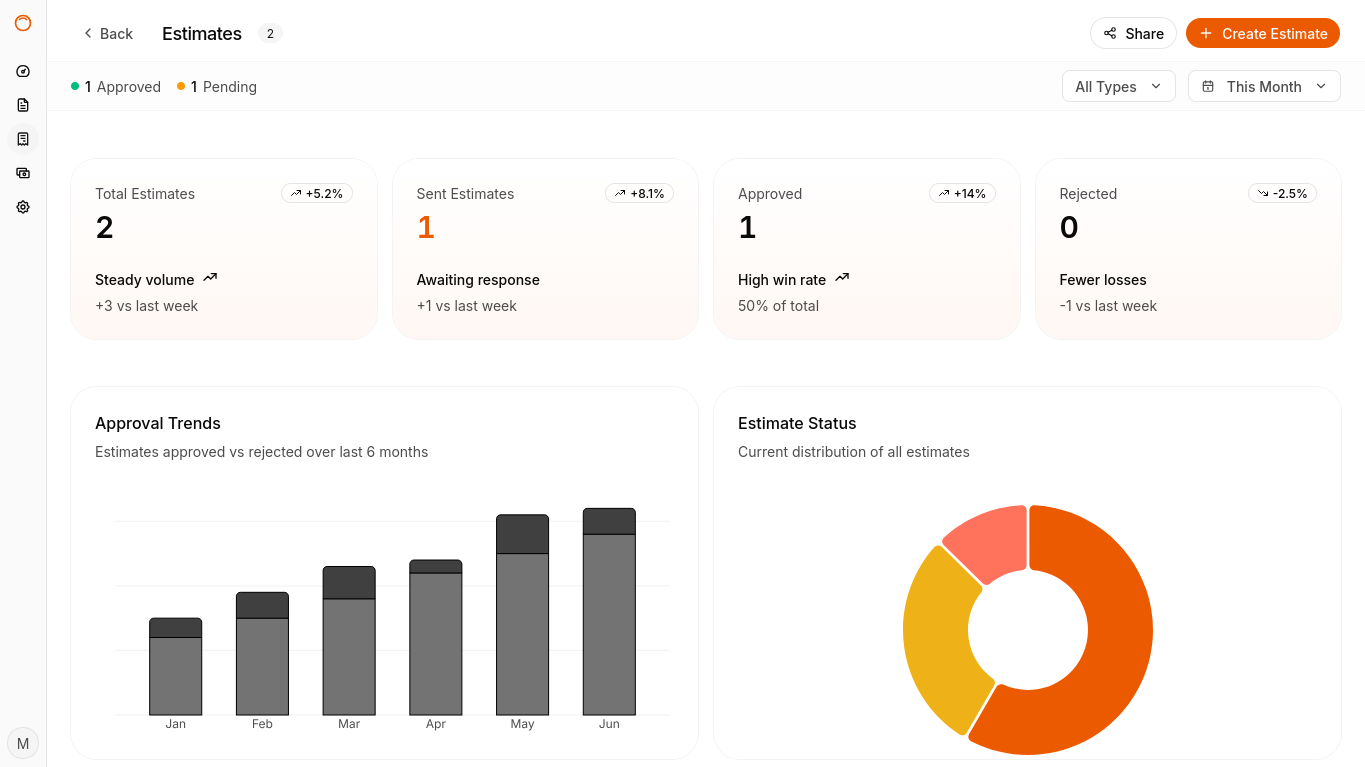
One part of the project I particularly wanted to explore was what happens after a lead has been qualified.
A contractor shouldn’t have to start from scratch every time they need to prepare an estimate.
The platform allows an estimate to be created directly from an existing lead.
The contractor can add project costs such as:
- Materials
- Labor
- Removal
- Disposal
- Additional repairs
- Other project costs
The system then calculates the subtotal, applicable tax, and total.
Once the estimate is ready, it can be sent to the customer.
The customer receives a dedicated estimate page where they can review:
- Project details
- Scope of work
- Line items
- Pricing
- Terms
- Total estimate
They can then approve the estimate.
That approval becomes part of the lead’s history.
So instead of treating these as separate features, the platform connects them:
Lead → Estimate → Customer Review → Approval
That connection is what turns the project from a collection of screens into a business workflow.
Designing for the customer
There is another side to the system that is just as important.
The contractor needs useful information, but the customer shouldn’t feel like they’re completing an unnecessarily complicated application just to request an estimate.
That’s why I designed the estimate request as a guided experience.
Instead of putting every field on one page, the information is broken into smaller steps.
Step 1
What can we help you with?
- Roof replacement
- Roof repair
- Inspection
- Other
Step 2
Tell us about the property.
- Residential
- Commercial
- Other
Step 3
When are you looking to get started?
- As soon as possible
- Within 30 days
- 1–3 months
- Just researching
Step 4
Have photos of the project?
Upload them here.
Step 5
How can we reach you?
- Name
- Phone
- Address
The customer gets a focused experience rather than a long form.
The contractor gets much more useful information.
That balance was one of the main UX decisions behind the project.
Designing for the business

The contractor dashboard is intentionally different from the customer-facing experience.
The customer experience is focused on reducing friction.
The contractor experience is focused on clarity and action.
When a contractor logs in, the dashboard should immediately communicate the current state of the business.
For the purposes of this concept project, the dashboard uses fictional demo data such as:
12 New Leads
18 Contacted
7 Estimates Sent
4 Won
$184,500 Estimated Pipeline
These numbers are demonstration data, not results from a real roofing company.
They exist to make the interface feel like a working application and to demonstrate how the dashboard could communicate useful business information.
From there, the contractor can move directly into the leads that need attention.
The lead detail page brings together:
- Customer information
- Project details
- Uploaded photos
- Notes
- Activity history
- Estimate information
- Lead status
The goal is simple:
Less searching. More action.
The technical challenge
Although the interface is designed to feel straightforward, there is quite a lot happening underneath it.
A single customer request can move through several connected parts of the system:
Customer
↓
Lead
↓
Attachments
↓
Notes
↓
Activity
↓
Estimate
↓
Estimate Items
↓
Customer Approval
That means the application needs a data model that reflects those relationships.
It also introduces a number of engineering concerns:
- Authentication
- Authorization
- Server-side validation
- File uploads
- API requests
- Estimate calculations
- Notifications
- Lead status transitions
- Customer access
- Contractor access
For example, a customer shouldn’t be able to access another customer’s estimate simply because they know an ID.
A contractor employee shouldn’t automatically have access to every administrative operation.
A lead shouldn’t be able to move into an invalid state.
And an estimate’s final amount shouldn’t depend entirely on values that can be manipulated in the browser.
These details aren’t always visible when looking at a screenshot, but they’re important when building software around a real business workflow.
The data behind the workflow
The application is structured around the relationships between the major entities rather than treating every feature as an isolated component.
At a high level, the system revolves around:
Companies
The business using the platform.
Users
People who have access to the contractor application.
Customers
People requesting services.
Leads
The project opportunities generated through the public website.
Attachments
Photos and documents associated with a project.
Notes and Activity
The history of what has happened with a lead.
Estimates
Pricing proposals created for qualified opportunities.
Estimate Items
The individual costs that make up an estimate.
This structure allows information to follow the customer journey instead of becoming disconnected as the workflow progresses.
Why I made it a concept project
Saskatoon Roofing Co. is a self-initiated concept project.
It wasn’t commissioned by a real roofing company.
The company itself is fictional, and the customers, leads, estimates, pipeline values, and other records shown throughout the application are demo data.
I wanted to be explicit about that because the purpose of the project isn’t to present fictional numbers as real business results.
The purpose is to demonstrate how I would approach a realistic business problem.
I took a contractor scenario and worked through it from:
Problem → Requirements → User experience → Data model → API → Application → Workflow
That process is what I wanted the project to demonstrate.
What I learned from building it
One of the biggest things this project reinforced for me is that software development isn’t just about implementing features.
It’s about making decisions.
For example, I could have made the estimate request a single long form.
It would have been simpler to build.
But it would have created a more cumbersome experience for the person submitting it.
I could have built the contractor dashboard as a collection of tables.
That would have been straightforward.
But a contractor doesn’t necessarily need more tables.
They need to know:
What came in?
What needs attention?
Where is each opportunity in the process?
I could also have treated estimates as a completely separate feature.
Instead, I connected them directly to leads because the estimate is a natural continuation of the sales workflow.
Those decisions are just as important as the code itself.
What I would build next
If this concept were developed into a production system for an actual contractor, there are several areas I would consider extending.
The next stage could include:
- Appointment scheduling
- Automated follow-ups
- SMS notifications
- Customer accounts
- Job management
- Invoicing
- Payment processing
- Review management
- Lead source tracking
- More advanced reporting
- Employee scheduling
But I deliberately didn’t try to include every possible feature in the initial concept.
A good product doesn’t need to solve everything at once.
It needs to solve its core problem well.
For this project, that core problem is connecting:
Customer acquisition → Lead management → Estimating → Customer approval
Why this matters beyond contractors
Although I designed this particular system around a roofing company, the underlying idea isn’t limited to contractors.
Different businesses have different workflows.
A property company could connect enquiries to property viewings and applications.
A professional service firm could connect enquiries to consultations and client onboarding.
A restaurant could connect its website to reservations and ordering.
An e-commerce business could connect marketing, orders, customers, and fulfilment.
The exact workflow changes from business to business.
The principle doesn’t:
Software should make the business’s work easier, not simply give it another place to work.
The reason I built it
I built Saskatoon Roofing Co. because I wanted a portfolio project that demonstrated more than my ability to create a polished interface.
I wanted to demonstrate that I can take a business scenario, think through the customer journey, identify where software can improve the workflow, design the experience around those requirements, model the underlying data, and build the different pieces into one connected application.
The result is a fictional concept project, but the approach is the same approach I would bring to a real client project.
Understand the business.
Understand the customer.
Understand the workflow.
Then build the software around it.
